 VEXERA
Vexera / Dispatch
Emergency calls shouldn't disappear into a message queue.
Vexera Dispatch manages the operational workflow behind emergency and after-hours calls — from intake and triage through technician dispatch, acknowledgement, escalation, incident logging and office follow-up.
- Call
- Triage
- Dispatch
- Acknowledge
- Escalate
- Document
- Follow up
The handoff problem
Taking the call is only the beginning.
Answering the call solves only the first part of the problem.
- Someone needs to determine what happens next.
- The correct on-call person needs to be contacted.
- Someone needs to know whether they responded.
- If they don't respond, the incident needs to escalate.
- The office needs a record of what happened.
Dispatch is built around that entire chain.
Start with the call
The workflow can begin with the conversation.
Vexera Dispatch can provide automated inbound call handling for emergency and after-hours conversations: gathering the required caller and service information, applying your organization's triage process and initiating the appropriate Dispatch workflow.
The incoming conversation can be part of the same operational system — connected to technician response, acknowledgement, escalation, documentation and office follow-up.
Dispatch can support Vexera-managed call handling or fit alongside an organization's existing communications workflow, depending on the implementation.
How Dispatch works
From incoming call to accountable response.
Emergency rules, responsibility and escalation paths are configured around your organization's process.
- 01
Intake
Capture the caller, callback number, service location and required incident information.
- 02
Triage
Apply the organization's emergency rules and determine the appropriate workflow.
- 03
Dispatch
Identify the scheduled on-call technician or responsible employee and send the incident.
- 04
Acknowledge
Track whether the assigned person accepts the incident.
- 05
Escalate
If acknowledgement does not occur, continue through the configured escalation path.
- 06
Document
Maintain the incident record and escalation history.
- 07
Follow up
Surface the appropriate information to office staff for the next business action.
Operations portal
Know what's happening without chasing people for updates.
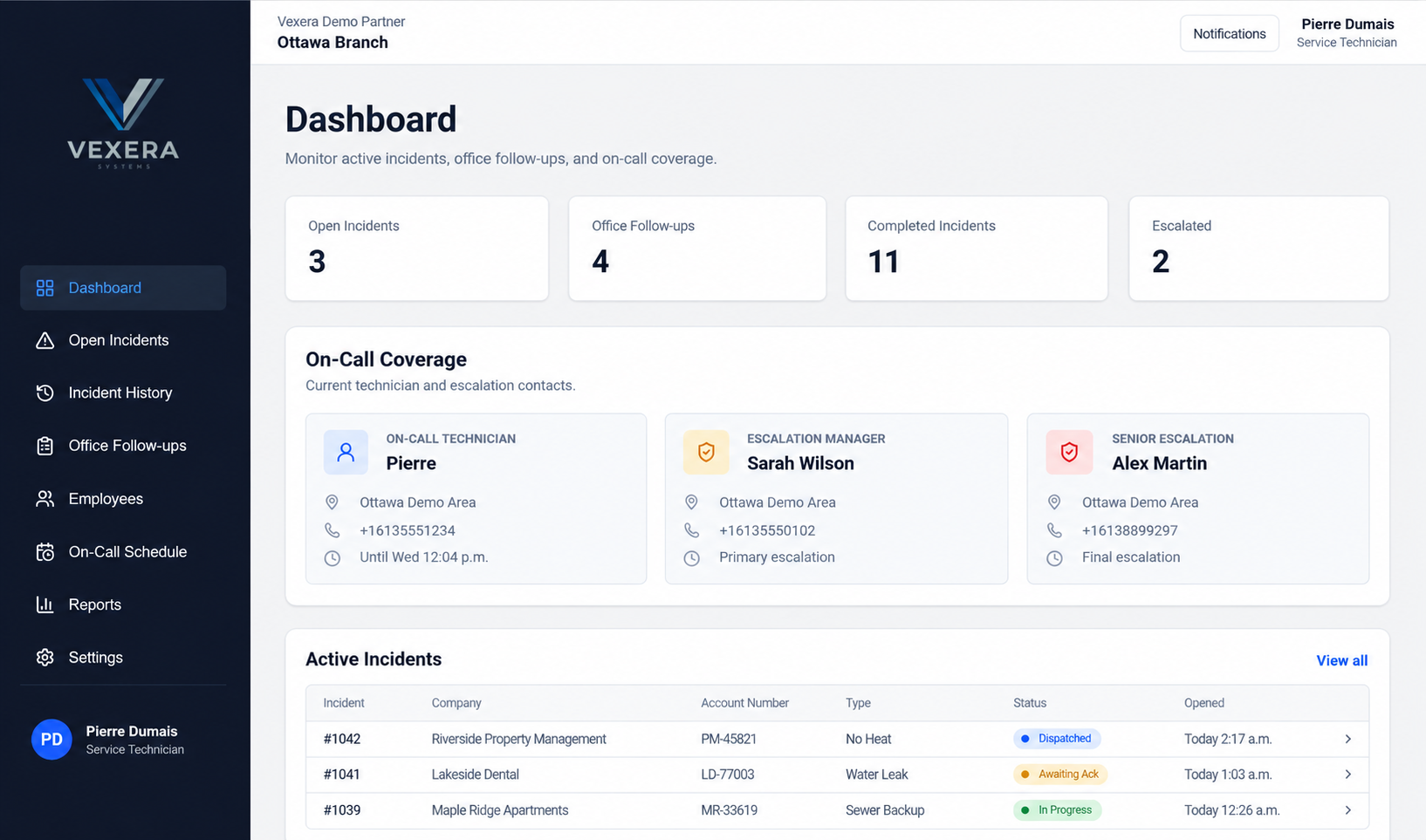
- Active incidents
- Completed incidents
- Escalation visibility
- On-call coverage
- Office follow-ups
- Acknowledgement status
Response accountability
Sending an alert isn't the same as knowing someone responded.
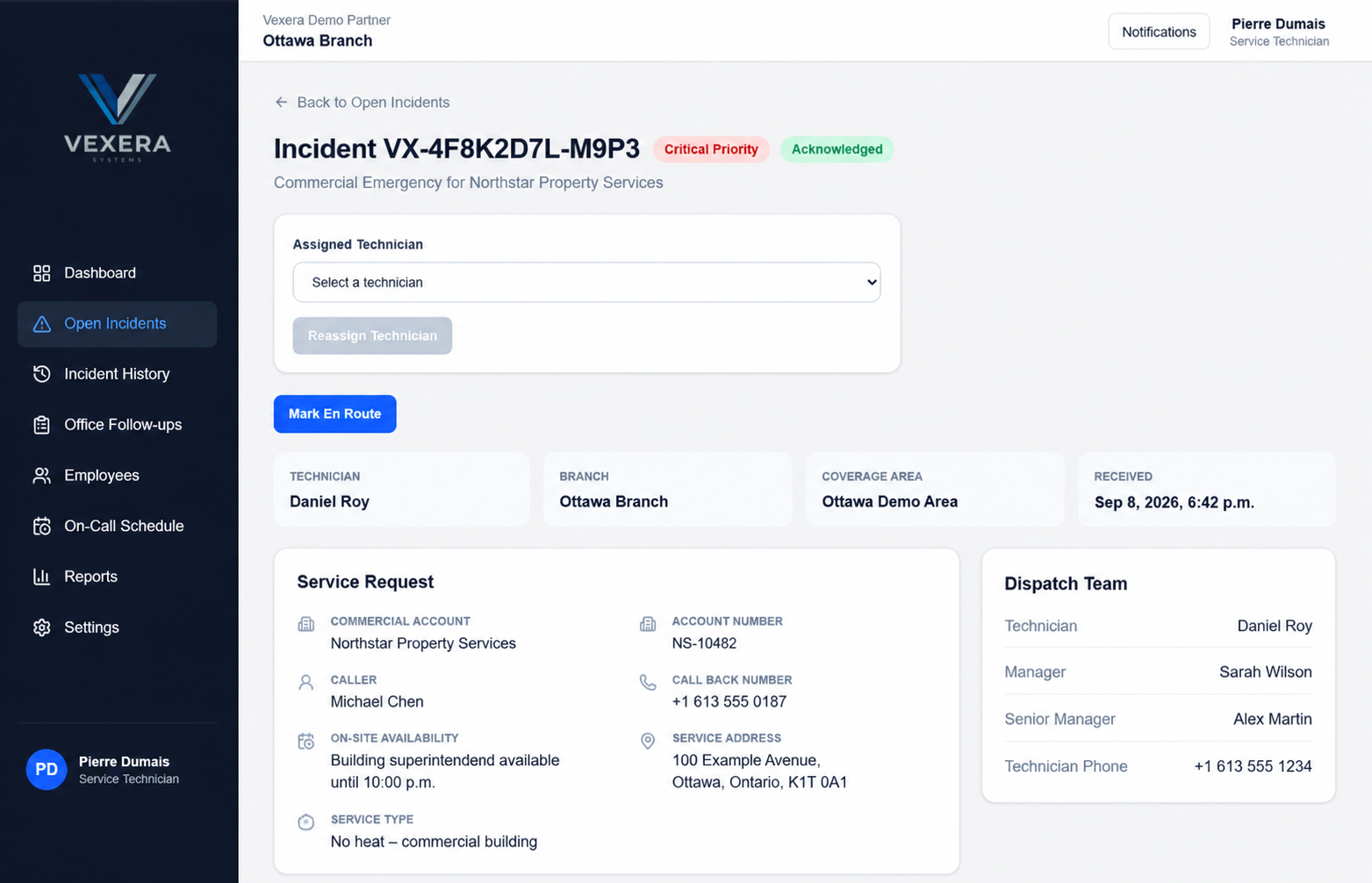
Dispatch tracks acknowledgement after an incident is sent, so the operational record includes whether the assigned person has accepted it.
If they do not acknowledge within the configured workflow, Dispatch can continue through an escalation path to additional responsible contacts.
- On-call technicianNo acknowledgement
- Escalation contactNo acknowledgement
- Next escalation
Contacts and escalation rules follow your configured process.
An incident, not just a message.
Classification, acknowledgement, technician assignment and service information stay together in the incident record, with the dispatch team's responsibilities in view.
Coverage
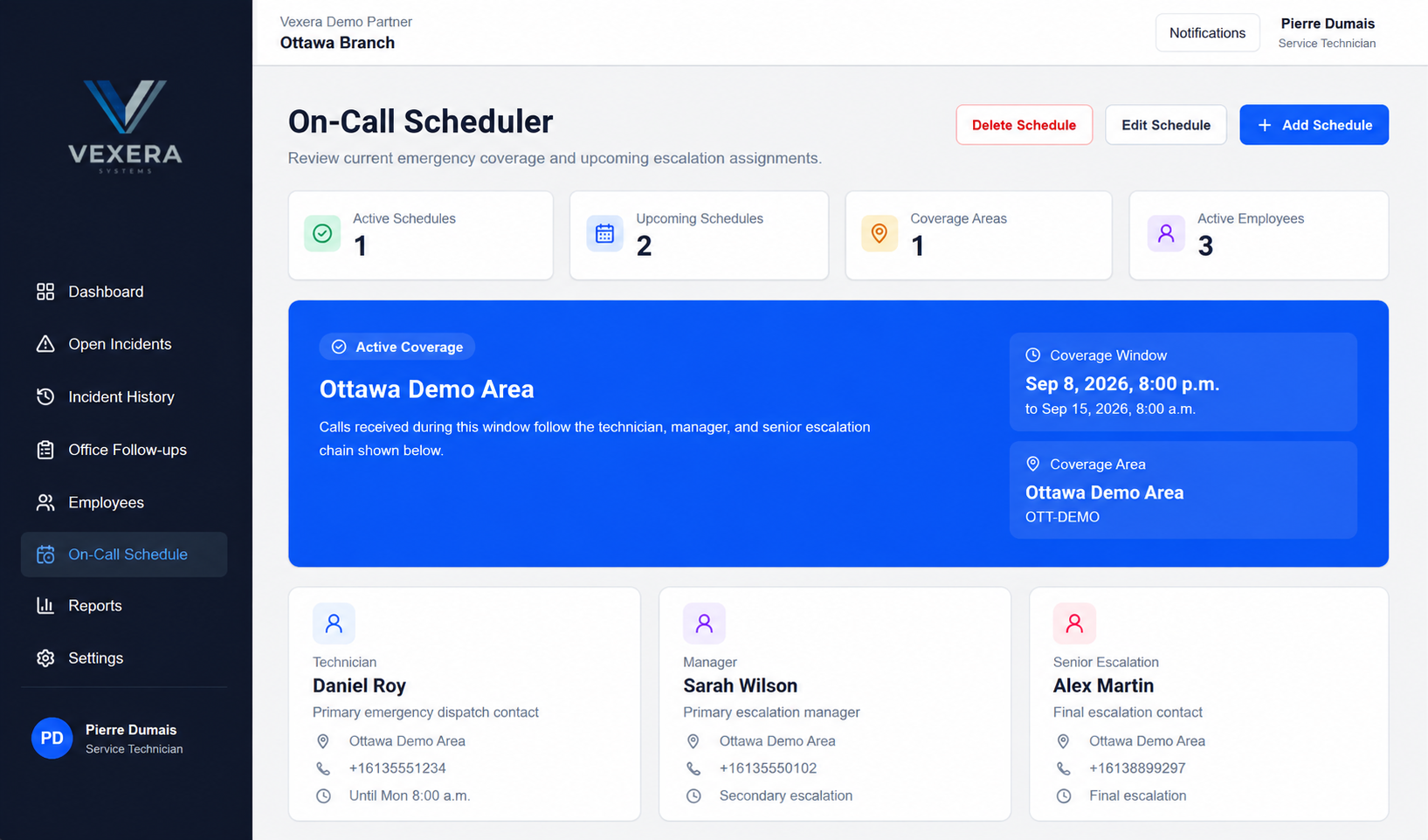
The workflow should know who's responsible before the phone rings.
On-Call Scheduler
Manage employees, roles, coverage areas and on-call schedules in Vexera Dispatch. Coverage windows connect each incident to the responsible technician, escalation manager and senior escalation contact.
The next business day
Emergency handling shouldn't create an information gap for the office.
Incidents and non-emergency items can generate appropriate office follow-up, giving staff a record of what happened and what requires attention.
Operational records help preserve continuity between after-hours activity and normal business operations, so the next business action can start with the right context.
Who it's for
Built for businesses where someone has to answer after hours.
Dispatch is most relevant where urgent calls require a defined response path rather than simply taking a message — particularly service organizations with employees or technicians on call.
- Pest Control
- HVAC
- Plumbing
- Electrical
- Restoration
- Property Management
- Elevator & Field Service
- Other On-Call Operations
Your workflow
Your escalation process shouldn't have to fit somebody else's template.
Vexera works with organizations to configure Dispatch around their operational requirements. Together, we define the process and configuration scope for your implementation.
- Emergency qualification
- Information collected
- On-call responsibility
- Acknowledgement workflow
- Escalation structure
- Office follow-up
Vexera Systems
Dispatch is one part of what we're building.
Vexera Dispatch is part of a growing portfolio of Vexera software focused on operations, communication and performance.
Let's talk about your after-hours operation.
If emergency calls involve technicians, escalation paths and office follow-up, we'd like to understand how your current process works.